If you dream of wearing the Indian Air Force uniform as a commissioned officer, AFCAT is the gateway that turns ambition into a structured selection journey. For AFCAT 01/2027, the Indian Air Force has opened the candidate login window on the official CDAC portal, allowing eligible graduates and final-year students to register, pay fees, and complete their application before the deadline. Understanding how the AFCAT login works is not a small detail it is the single digital key you will use for the application form, admit card, result, and several post-exam updates until the cycle closes.
This CollegeDwar guide explains the AFCAT login 2027 link, step-by-step registration, application fee structure, documents, eligibility checkpoints, and troubleshooting tips in plain language. Whether you are targeting the Flying Branch, Ground Duty (Technical), or Ground Duty (Non-Technical) roles, the process begins at the same official address: afcat.edcil.co.in. Read through each section before you click “Submit,” because corrections may be limited once the window closes.
What Is AFCAT Login 2027 and Why It Matters
AFCAT (Air Force Common Admission Test) is conducted by the Indian Air Force to shortlist candidates for officer-level training that leads to careers in aviation operations, engineering, administration, logistics, meteorology, education, accounts, and weapon systems. The AFCAT login 2027 is hosted on the Examination Directorate’s online application system, often referred to as the AFCAT CDAC login. It is not a separate portal for each stage; once you register, the same email ID and password typically let you return to download the admit card, view scores, and access cycle-specific notices.
From an admissions perspective, AFCAT sits alongside other national competitive exams that Indian graduates prepare for after college. Students who also explore management entrance tests may compare timelines with exams like the CAT (Common Admission Test for MBA). Defence and MBA paths differ sharply in eligibility, physical standards, and career outcomes, but both demand disciplined preparation and clean documentation during online registration skills that directly affect whether your form is accepted.
Key Highlights of the AFCAT Login Portal
- Single-window access: Apply online, pay fees, download admit card, and check results through the candidate login (until the cycle is archived).
- Cycle-specific login: AFCAT 1 and AFCAT 2 usually have separate login selections choose the correct year and session (e.g., AFCAT 01/2027).
- Credential basis: Registration creates a password sent to your registered email; you sign in with email ID, password, and captcha.
- Time-bound availability: Login for applications opens and closes on notified dates; admit card login activates closer to the exam.
AFCAT 2027 Exam Dates and Login Windows (AFCAT 1)
Always treat official notification dates as final, but AFCAT 01/2027 has already announced several anchor events that help you plan backwards from training commencement (typically January of the following year for the selected batch).
| Event | AFCAT 1/2027 (Indicative) | AFCAT 2/2027 |
|---|---|---|
| Notification / login for application | 12 November 2026 onwards | To be announced |
| Last date to submit application | 11 December 2026 | To be announced |
| Application correction window | To be announced | To be announced |
| Admit card via login | From 27 January 2027 (expected) | To be announced |
| Online AFCAT exam | 31 January 2027 | To be announced |
| Result through login | To be announced | To be announced |
Actionable tip: Save the notification PDF from the official site the day it releases. Note the exact start and end time of the application window (often 11:00 AM on the opening day and late evening on the closing day). Last-minute traffic on the portal is common; submit at least 48 hours before the deadline.
Official AFCAT Login 2027 Link and How to Reach It
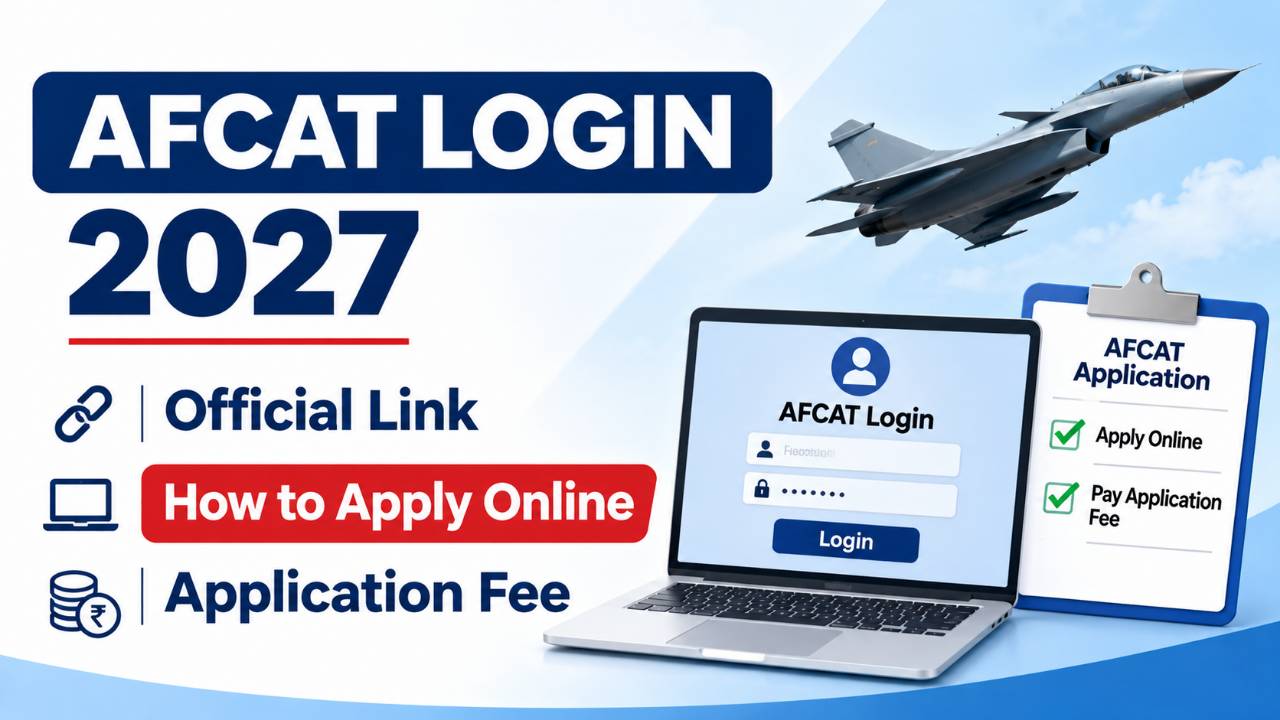
The authentic AFCAT login URL is https://afcat.edcil.co.in. Avoid third-party “apply here” buttons on unverified pages. On the homepage menu, select AFCAT Candidate Login, pick your exam cycle from the dropdown (for example, AFCAT 01/2027), and enter your credentials on the login screen.
Steps to Access AFCAT CDAC Login
- Open a supported browser (Chrome, Edge, or Firefox updated to the latest version).
- Visit afcat.edcil.co.in and click AFCAT Candidate Login.
- Choose AFCAT 1 or AFCAT 2 and the correct year/session.
- Enter your registered email ID, password, and the captcha shown.
- Click Login to reach your dashboard for forms, fee payment, or downloads.
Eligibility Before You Use AFCAT Login 2027
Logging in is pointless if you do not meet branch-wise eligibility. Indian citizenship is mandatory. Marital status rules apply candidates are generally required to be unmarried at the time of course commencement, and marriage during training is not permitted. Age is counted against the training start date (for AFCAT 01/2027, reference is often 1 January 2028 for the incoming course).
Age Limits (Typical for AFCAT 01/2027 Course)
- Flying Branch (AFCAT): 20–24 years (birth between prescribed dates; upper limit relaxes to 26 with valid Commercial Pilot Licence where applicable).
- Ground Duty (Technical & Non-Technical): 20–26 years for most entries.
Educational Qualifications (Overview)
- Flying Branch: Class 12 with Physics and Mathematics; graduation (minimum three years) with around 60% marks in any discipline, or four-year BE/BTech with required marks. Subject combinations must match the detailed notification.
- Ground Duty (Technical): Engineering/technology qualifications in relevant disciplines (Aeronautical Mechanical, Electronics, etc.) with PCM at 10+2 where specified.
- Ground Duty (Non-Technical): Graduation with branch-specific subjects e.g., accounts may require specific commerce qualifications; meteorology may require physics/mathematics at degree level.
Verify every degree title against the official annexure. Autonomous colleges and state universities are accepted when recognised; keep mark sheets and degree certificates scanned before login.
Branches and Entries Available Through AFCAT Login
When you fill the form after login, you choose the entry type and branch preference. AFCAT 01/2027 recruitment commonly covers:
- Flying Branch via AFCAT and NCC Special Entry (where eligible).
- Ground Duty (Technical) Aeronautical Engineer (Mechanical) and (Electronics).
- Ground Duty (Non-Technical) Weapon Systems, Administration, Logistics, Accounts, Education, Meteorology.
- GATE Score Entry for specified technical branches (fee rules differ).
Vacancies are tentative and may change with training slot availability. Select preferences carefully; some choices affect subsequent AFSB scheduling.
AFCAT Application Fee 2027: Amount, GST, and Payment
Fee payment is completed inside the login portal after you fill mandatory fields and upload images. For standard AFCAT entry, the application fee is ₹550 plus applicable GST (18% GST is commonly added, so budget slightly above ₹550). Payments are online debit card, credit card, net banking, or UPI as enabled on the gateway.
| Entry Type | Application Fee |
|---|---|
| AFCAT Entry | ₹550 + GST |
| NCC Special Entry | No fee |
| GATE Score Entry | No fee |
After successful payment, download or screenshot the payment confirmation page. If the portal times out, log in again and check payment status before attempting a second charge.
How to Fill AFCAT 2027 Application Form After Login
New candidates must register before they can complete the full application. The flow below mirrors what most aspirants follow for AFCAT 01/2027.
Stage 1: New Registration
- On the login page, click Register here.
- Enter name, mobile number, and email ID used throughout the process (only one valid email is recommended).
- Submit; the system emails your initial password.
- Sign in, reset the password when prompted, log out, and log in again this stabilises many first-time accounts.
Stage 2: Application Form Sections
Inside the dashboard, complete:
- Personal details: Name as per certificates, parents’ names, address, category, etc.
- Educational details: Class 10, 12, graduation, backlogs if any (declare honestly).
- Branch/course preference: Flying vs ground duty options.
- Exam city preference: Choose centres in order of convenience; travel for AFSB may be separate later.
- Uploads: Passport-style photograph, signature, and thumb impression as per size/format guidelines in the notification.
Stage 3: Fee and Final Submit
Review every field in the preview screen. Typos in name or date of birth can create admit card issues. Pay the fee if applicable, submit, and save the registration number displayed on confirmation.
Documents to Keep Ready Before AFCAT Login
- Class 10 certificate for date of birth proof
- Class 12 mark sheet (especially for Flying/technical PCM proof)
- Graduation degree/provisional certificate and all semester mark sheets
- Valid photo ID (Aadhaar, passport, driving licence, PAN, etc.)
- NCC/GATE documents if applying under those entries
- Scanned photo, signature, and thumb impression within prescribed KB and dimensions
AFCAT Login for Admit Card 2027
For AFCAT 1/2027, admit cards are expected to be available through the same candidate login from around 27 January 2027, ahead of the 31 January 2027 exam. After login, open the admit card link, verify centre address and reporting time, download the PDF, and print in colour if possible.
On exam day, carry the admit card, a valid photo ID, two passport-size photographs (matching the application upload), and a black ballpoint pen. Reach the centre early; biometric and frisking procedures take time.
AFCAT Login to Check Result and Cut-Off
When results are declared, log in with the same credentials to view qualifying status, scores, and cut-off information linked to your registration. Download the scorecard for AFSB documentation. Shortlisted candidates receive instructions for Air Force Selection Board (AFSB) testing another multi-stage process of psychological tests, group tasks, and personal interview.
Selection Stages After the Online Exam
AFCAT is only the first filter. The full pipeline typically includes:
- Online AFCAT test 100 questions, 300 marks, objective type; covers general awareness, verbal ability, numerical ability, reasoning, and military aptitude.
- AFSB interview five-day assessment at designated boards.
- Medical examination strict air force medical standards; vision, height, and fitness parameters matter branch-wise.
Final merit combines written test performance, AFSB recommendations, and medical fitness. Treat login-stage accuracy as the foundation errors in eligibility declarations can disqualify you even after a strong score.
Forgot AFCAT Password? Recovery Through Login Page
If you forget your password, use Forgot Password on the login window. Enter registered email and mobile number, answer the secret question you set during registration, fill captcha, and submit. A new password or reset link is issued per portal rules. Keep mobile number active; the system may auto-fill partial digits after email entry.
Important Tips for a Smooth AFCAT Login Experience
- Use one email ID from registration through joining instructions changing emails mid-cycle is difficult.
- Store password in a secure manager; do not share credentials on coaching Telegram groups.
- Disable pop-up blockers during payment.
- Avoid mobile browsers for payment if the gateway fails; switch to desktop.
- Check spam folder for password and admit card emails from official senders.
- After the selection process ends for a cycle, login may be disabled archive PDFs locally.
Who Should Consider AFCAT Alongside Other Career Exams?
Final-year engineering students, BSc graduates with PCM, and motivated BCom/BA candidates in allowed branches often prepare for AFCAT while keeping alternate plans. Defence careers offer structured growth, adventure, and service ethos; corporate paths via MBA require a different aptitude test mix. Comparing exam calendars helps if you are also eyeing an MBA cycle, understanding how the CAT exam registration and test months align can prevent clash-driven stress. Choose a primary goal for each year rather than dividing attention equally across incompatible pipelines.
Common Mistakes During AFCAT Online Application
- Selecting AFCAT 2 login while applying for AFCAT 1
- Uploading blurred photographs or wrong aspect ratio
- Declaring incorrect percentage (use conversion rules from notification)
- Missing fee payment after saving draft
- Ignoring marital status or age eligibility for the training start year
AFCAT 2027 Exam Pattern: What You Prepare for After Login
Once your application through the AFCAT login is accepted, preparation shifts to the computer-based test. The question paper generally carries 100 objective questions worth 300 marks, with sections that test verbal ability, numerical ability, reasoning, general awareness, and military aptitude. There is negative marking for incorrect answers, so accuracy matters as much as speed. Candidates often allocate daily slots to reading newspapers for current affairs, revising Class 10–12 mathematics for speed, and practising reasoning puzzles under a timer.
Mock tests mirror the online interface you will see on exam day; practising on a laptop with a stable internet connection reduces exam-centre anxiety. While filling the login form, pick exam cities that you can reach without last-minute travel chaos fatigue before the CBT can blunt weeks of study. If you are a final-year student, coordinate college exam dates with AFCAT 01/2027 so that project viva or semester tests do not collide with AFSB calls later in the pipeline.
Application Correction Window and Post-Submit Changes
After the initial application deadline, the Indian Air Force sometimes opens a short application correction window through the same AFCAT login. During correction, you may be allowed to edit selected fields such as photograph, signature, or minor personal details not always branch or qualification data. Watch the official website for correction notices immediately after 11 December 2026. Even if correction is available, treat your first submission as final-quality: upload crisp documents and accurate percentages converted per notification rules (CGPA to percentage formula, if applicable).
Conclusion
The AFCAT login 2027 at afcat.edcil.co.in is your access point for one of India’s most respected officer recruitment cycles. For AFCAT 01/2027, applications from 12 November to 11 December 2026, the online exam on 31 January 2027, and admit card access via login from 27 January 2027 are the immediate milestones. Register early, double-check eligibility against the official notification, pay ₹550 plus GST for standard AFCAT entry, and guard your email-password pair as carefully as your admit card. With accurate forms and steady preparation for the computer-based test and subsequent AFSB stages, you position yourself for a meaningful career in the Indian Air Force starting with a successful click on Candidate Login.