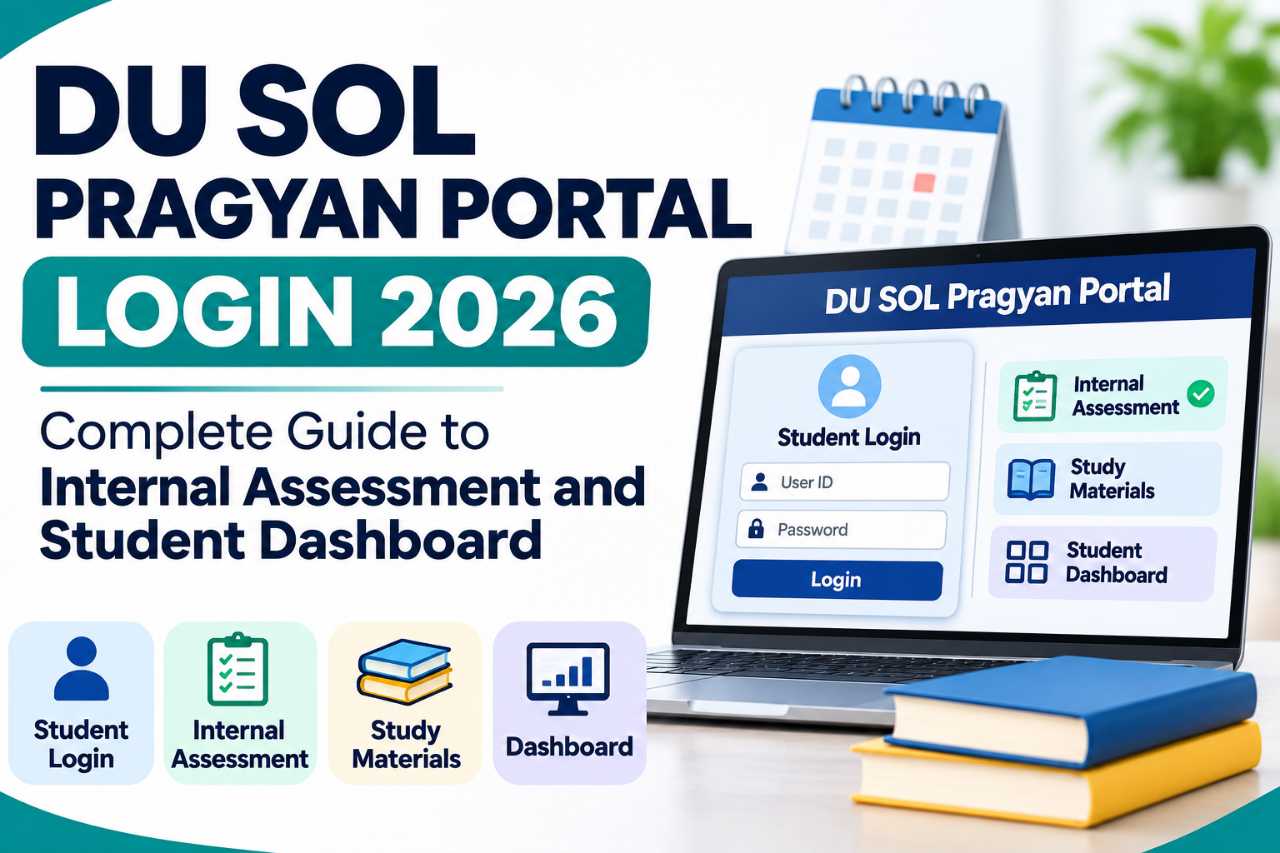
The DU SOL Pragyan portal is the official digital workspace for students of the School of Open Learning (SOL), university of Delhi. Whether you are in your third, fifth, or seventh semester, logging in correctly is the first step to downloading self-learning material (SLMs), uploading assignments, checking internal assessment (IA) status, and staying aligned with exam timelines. For lakhs of distance learners who balance jobs, coaching, or family responsibilities, the portal is not optional it is where academic compliance actually happens.
This guide is written for Indian students navigating open and distance learning (ODL). It walks you through login credentials, step-by-step access, password recovery, what internal assessment means at DU SOL, and practical tips to avoid last-minute penalties. We also cover mobile access, exam-season alerts, and how sessional marks fit into your overall degree plan so you can study with clarity instead of guessing from scattered social posts. If you are comparing ODL options beyond Delhi, institutions such as Suresh Gyan Vihar University Jaipur (SGVU) also offer flexible degree pathways but DU SOL students must still use only the official Pragyan workflow described here.
What Is the DU SOL Pragyan Portal?
Pragyan is DU SOL’s integrated student information and learning management interface. After admission, the university issues credentials tied to your enrolment. The portal centralises:
- Course-wise study materials and syllabus modules
- Assignment submission windows and upload history
- Internal assessment schedules, quizzes, and progress indicators
- Exam-related updates such as date sheets and admit card links when activated
- Fee payment options and limited profile updates
Think of Pragyan as your academic control room. Unlike a physical campus notice board, every deadline here is time-stamped. Missing an IA upload often affects your final sessional marks even if you perform well in the term-end examination.
Who Needs to Log In for 2026?
DU SOL typically activates portal services semester-wise. For the 2026 academic cycle, students in odd semesters (3rd, 5th, 7th) are among the primary cohorts completing continuous evaluation tasks. Even if you joined through the regular SOL admission channel or a later readmission, your roll number and barcode remain the anchor identifiers until course completion.
DU SOL Pragyan Portal Login Requirements
Before you open the website, keep the following ready on a stable internet connection mobile data works, but PDF downloads and assignment uploads are smoother on broadband or campus Wi-Fi.
| Requirement | Where to Find It | Tip |
|---|---|---|
| DU SOL roll number | Admission slip, identity card, fee receipt | Enter without spaces or special characters |
| Barcode (login password field) | Printed on admission slip / registration documents | Scan if handwritten confuse 0/O and 1/I |
| Registered email and mobile | Details submitted at admission | Needed for password reset |
| Compatible browser | Chrome, Firefox, Edge (updated) | Disable ad-blockers on the SOL domain |
Your barcode is not a “password” you invent it is issued by the university. Treat it like an ATM PIN: do not share it on Telegram “help” groups or third-party “assignment service” pages.
How to Login to DU SOL Pragyan Portal (Step-by-Step)
Official URL: sol.du.ac.in. Always type the address manually or use a bookmark you created yourself. Phishing clones spike around assignment deadlines.
- Open sol.du.ac.in in your browser.
- Click the Pragyan Portal link from the homepage or student section.
- Under login type, choose Student (not faculty or admin).
- Enter your DU SOL roll number in the user ID field.
- Enter your barcode in the password field.
- Click Sign In. You should land on your personalised dashboard.
On first successful login, spend ten minutes exploring menu labels: “Study Material,” “Assignments,” “Internal Assessment,” and “Examination.” Screenshots of each section help if you need to raise a ticket with SOL support later.
After Login: Navigating the Dashboard
Layouts may vary slightly by programme BA Programme, B.Com (Hons/Prog), MA, M.Com but the logic is consistent. Your enrolled papers appear semester-wise. Click a paper code to see downloadable units, assignment questions, and IA tasks. If a paper shows “inactive,” your registration for that course may still be processing, or there is a programme mismatch after migration from an older portal. In that case, contact your regional centre with your roll number before the IA cutoff.
Understanding Internal Assessment (IA) at DU SOL
Internal assessment is continuous evaluation conducted during the semester. It is separate from the end-term theory examination conducted under DU’s exam branch norms, but marks are combined as per the university scheme of examination for ODL programmes.
What Counts as Internal Assessment?
Depending on your course and current SOL policy, IA may include:
- Written assignments (upload PDF or prescribed format)
- Online quizzes or MCQ tests hosted inside Pragyan
- Participation in moderated discussion forums where enabled
- Project or case-study submissions for select professional papers
Assignment questions are usually aligned with SLM learning outcomes. Copy-pasting generic content from the internet often fails plagiarism checks where applied, and tutors can award zero marks for non-original work. Write in your own words, cite sources if required, and keep file names logical (e.g., RollNo_PaperCode_Assignment1.pdf).
Why IA Marks Matter
Sessional marks improve your buffer before final exams. Students who ignore IA discover they need unrealistic theory scores to compensate. A practical approach: complete IA tasks in the first half of the semester, then use remaining weeks for revision and mock tests.
Typical IA Timeline Mindset
SOL publishes soft deadlines on Pragyan. Hard deadlines may lock uploads automatically. Mark three dates in your calendar: open date, reminder date (one week before close), and final date. Evening uploads on the last day risk server congestion submit at least 24 hours early.
How to Retrieve Forgotten DU SOL Pragyan Login Credentials
Losing credentials is common during gap years or device changes. DU SOL provides self-service recovery on the same login screen.
Retrieve or Reset Password (Barcode Issues)
If you forgot a portal password that you had changed after first login, use Forgot Password:
- Go to sol.du.ac.in → Pragyan Portal → Student login.
- Click Forgot Password.
- Enter your registered email address.
- Open the reset link from your inbox (check spam/junk).
- Set a strong new password not reused from email or social accounts.
If you never changed the password, your barcode from the admission slip is still the valid credential retrieve the slip from your email or physical folder instead of resetting unnecessarily.
Retrieve User ID (Roll Number Confusion)
Click Forgot User ID on the student login page. You will enter name, course, and date of birth for verification. Upon success, your user ID is sent to your registered mobile and email. Keep this message archived.
When Self-Service Does Not Work
Contact DU SOL student support through official helplines or helpdesk email listed on sol.du.ac.in. Prepare: scanned admission slip, payment proof, and a short description. Avoid paid “recovery agents” on social media they cannot access government university systems legitimately.
Benefits and Features Students Use Most
Study Materials (SLMs)
Self-learning modules break the syllabus into units. Download and read offline if your connection is unstable. Highlight statutory sections for law papers, formulas for commerce, and timelines for history. SLMs are the backbone of ODL term-end papers largely map back to these units.
Assignments and Online Assessments
The portal shows open assignments with maximum marks and rubric hints. For online assessments, note time limits and whether multiple attempts are allowed. Use a quiet environment; closing the browser mid-quiz may consume an attempt.
Examination Information
When DU releases schedules, Pragyan or linked exam microsites provide admit card download options and centre information. Cross-check spelling of your name and photograph errors should be corrected before exam day.
Payments and Profile Updates
Exam fees and miscellaneous charges may be payable online. Update mobile numbers only through verified flows; outdated numbers block OTP-based recovery.
Common Login and IA Problems (Troubleshooting)
- “Invalid credentials”: Re-type roll number; confirm caps lock is off; verify barcode from original slip.
- Blank dashboard: Clear cache, try incognito mode, or switch browser.
- Upload failed: Check file size limits and PDF-only rules; rename without symbols.
- Quiz frozen: Capture screenshot with timestamp; email support immediately.
- Semester not visible: Confirm fee clearance and semester registration status with your centre.
Document every error message verbatim support teams diagnose faster with exact text.
DU SOL Programmes and Portal Access
Pragyan serves undergraduate and postgraduate students across flagship SOL offerings such as BA Programme, B.Com (Programme and Honours), MA, and M.Com, along with other courses notified on the official site. Each programme maps to paper codes visible only after login, which is why sharing generic assignment PDFs from seniors can mislead you always download the question from your active semester tile.
New admits often confuse DU’s main university website with SOL’s subdomain. Counselling forums sometimes link outdated portals from legacy systems. If your batch migrated to Pragyan recently, you may receive a one-time instruction sheet at the study centre. Read it before attempting transfer of old passwords; migrated accounts may require a first-time barcode login before a personalised password can be set.
Study Centres, Regional Support, and Pragyan
DU SOL operates through a network of study centres across India. Centres help with admission formalities, distribution of printed material where applicable, and clarification of notices. They do not replace Pragyan for digital submission. A centre officer cannot upload your assignment on your behalf inside the official system unless university policy explicitly allows a documented exception which is rare. Visit the centre for procedural issues such as registration mismatches; use Pragyan for IA execution.
Internal Assessment vs End-Term Examinations
Understanding the split between sessional and university examinations reduces anxiety. End-term papers are conducted on fixed dates under exam branch discipline, usually once per semester cycle. Internal assessment is spread across weeks inside Pragyan. Together they implement continuous and summative evaluation suited to distance learners who study independently.
How to Plan Marks Strategically
Even when exact weightage varies by course, a prudent student assumes IA is not a token exercise. Scoring well in assignments and quizzes builds confidence and forces syllabus coverage. Start each paper by listing learning objectives from the SLM preface. Convert them into weekly targets. When IA marks appear on the dashboard, reconcile them with your expectations. If you score low, request rubric-based feedback through official channels rather than informal social media threads that circulate unverified “solutions.”
Sample Four-Week IA Calendar (Template)
| Week | Focus | Portal Action |
|---|---|---|
| Week 1 | Orientation; SLM Unit 1–2 | Login; download materials; screenshot deadlines |
| Week 2 | Core reading; draft assignment | Check upload format and word limits |
| Week 3 | Quiz attempt; revise weak units | Complete online IA components |
| Week 4 | Final proofread; backup copy | Submit assignment 24 hours before due time |
Adjust the template for subjects with longer project work, such as commerce cases or political science commentary essays. The key constant is that every action ties back to a dated Pragyan task not a handwritten to-do on loose paper alone.
Logging In on Mobile Phones and Tablets
Many SOL students access Pragyan from affordable smartphones. Mobile browsers generally work, but complex uploads benefit from the “Desktop site” toggle when the interface looks cramped. Save admission slip and barcode in an encrypted notes app or password manager, not as an unprotected gallery screenshot. If your phone auto-translates pages, disable translation on sol.du.ac.in so button labels stay accurate. Avoid simultaneous login on too many devices if the session policy restricts concurrent access this can log you out mid-quiz.
File Preparation Checklist Before Upload
- Convert documents to PDF unless the portal specifies DOCX.
- Keep margins readable; examiners may view on laptops, not printouts.
- Run a spell-check; clarity improves marks even when content is sound.
- Compare assignment word count with the ceiling stated on Pragyan.
- Upload once, then reopen the file from submission history to confirm integrity.
December and June Exam Cycles: Portal Touchpoints
Although IA is semester-long, examination season concentrates another burst of Pragyan traffic. Notifications for admit cards, date sheets, and sometimes centre changes appear close to DU SOL’s exam timetable. Log in at least weekly during the month preceding exams. Students who only revisit the portal for IA may miss a fee window or photograph correction alert. Set calendar alerts aligned with historic SOL patterns while still relying on official posts not rumours in unofficial WhatsApp groups.
Security and Academic Integrity Tips
Enable two-factor authentication only if the portal offers it for changed passwords. Never submit assignments on behalf of others. DU SOL disciplinary rules apply to ODL students equally. Use university Wi-Fi or a personal connection; avoid cyber café browsers that retain sessions.
Rotate passwords after using a public computer. Log out explicitly instead of closing the tab. If you suspect credential theft, change your password immediately and notify SOL through official email with timestamps of suspicious activity. Academic integrity also covers referencing: when assignments ask for citations, use a consistent style named in the question. Uncited lifts from web articles remain a common reason for mark deductions.
Who Should You Trust for DU SOL Guidance?
Trust hierarchy matters for accurate information: (1) notices on sol.du.ac.in, (2) emails from SOL domains, (3) your study centre bulletin, (4) established education publishers that summarise official steps without replacing them. Influencer videos can motivate but may carry outdated screen recordings from older portal skins. Cross-check any third-party tutorial against the live site before submission day. CollegeDwar and similar directories help you explore colleges nationwide use them to compare institutions, not to obtain DU SOL login credentials.
ODL in India: Context Beyond DU SOL
Delhi University’s SOL brand has decades of recognition for arts, commerce, and humanities at scale. Students in Rajasthan exploring blended or open formats sometimes compare local institutions. For example, Suresh Gyan Vihar University Jaipur attracts learners seeking structured campus support alongside flexible schedules. Aspiring teachers may research Gyan Sthali College of Education Jaipur or Shri Gyan Sagar College of Education Jaipur for B.Ed and skill pathways. These are different admission systems from DU SOL always verify which university’s portal you must use. DU learners should rely exclusively on sol.du.ac.in and communications signed by SOL.
Conclusion
Logging into the DU SOL Pragyan portal with your roll number and barcode opens the door to study resources, assignment submission, and internal assessment tracking all essential for completing your degree on time. Bookmark the official site, secure your credentials, finish IA tasks early, and use only university-approved support channels. With disciplined portal use, SOL students can balance work and academics while staying fully compliant with Delhi University’s ODL evaluation system. For authoritative walkthroughs aligned with student queries, refer to established guides such as the Careers360 explainer linked in our references below and keep checking sol.du.ac.in for semester-specific notifications. Treat each semester as a fresh compliance cycle: login early, finish internal assessment on schedule, and you will enter the theory examination phase with stronger preparation and fewer surprises.